October 09, 2026
Wooden Laptop Table Stand: Styles and Features to Compare

Introduction
A wooden laptop table stand can be a simple fixed riser, a design with adjustable positions, a foldable option, or a broader tray-style surface. The right format depends on your laptop, the table or desk it will sit on, and whether the stand will stay in one place or move around. A compact design may leave more table space available, while a larger surface can take up more of it.
Before choosing, compare more than appearance. Check the stand’s dimensions against your available space, confirm that its stated laptop compatibility suits your device, and look for clear details about materials and construction. Then consider how it sits on your surface, whether it offers the positioning you want, and what the listing says about stability and portability. These checks can help you compare options without assuming one style works for everyone.
Common Styles of Wooden Laptop Stands
Wood laptop table stand listings can describe several design categories, including fixed-angle risers, adjustable stands, foldable designs, and laptop table or tray-style surfaces. These are useful ways to organize a comparison, not a ranking. The available examples do not establish how common each style is across the market, and names can vary between sellers.
| Style category | What to compare | Practical trade-off to consider |
|---|---|---|
| Fixed-angle riser | The set angle, height, footprint, and laptop fit | A fixed configuration may suit a dedicated setup, but offers fewer positioning changes. |
| Adjustable stand | The positions available and how the stand is configured in each | More adjustment may offer flexibility, but check how the structure is secured and how much space it takes up. |
| Foldable stand | Its folded dimensions and how it is assembled for use | Portability may be a priority if you move locations; check the setup details rather than relying on the label alone. |
| Table or tray-style design | Surface dimensions and whether the format suits your intended location | A broader surface may suit some setups but can occupy more room than a compact riser. |
Treat these as prompts for checking an actual product listing. For example, stood describes one wooden stand as a two-piece European beech design that disassembles. The company lists compatibility with laptops from 10 to 15 inches and dimensions of 30.8 × 23.5 × 1.8 cm. That is one product’s specification, not a description of every wooden stand. Confirm the configuration, measurements, and laptop compatibility for the exact model you are considering.
Wood, Finish, and Build Quality
Look for a specific material description rather than relying on a product title or photographs. Does the listing identify solid wood, plywood, veneer, or another construction? If it names a wood species, check whether that describes the whole stand or only part of it. For instance, stood identifies European beech and a two-piece construction for its particular model, but that single listing does not establish what other products are made from.
Inspect the available details about finish, edges, joints, and fasteners. Look for clear photographs of connection points and surfaces, and note any assembly or care instructions. These are comparison points, not guarantees of how long a stand will last. Appearance or a named wood species alone cannot confirm durability or sustainability. If two listings provide different levels of detail, record what each actually specifies rather than treating missing information as evidence of better or worse workmanship.
Check whether the seller provides a stated load limit and how it applies to the assembled stand and your device. Do not assume every wooden laptop stand publishes one; if the listing is unclear, ask the seller directly. Likewise, use stated dimensions and compatibility details to assess fit instead of estimating from an image. A useful comparison records what the manufacturer actually specifies and marks anything missing as something to verify before purchase. Care instructions can also help you understand what the maker recommends for cleaning or handling, but they should not be taken as a promise of a particular lifespan.
Features That Affect Fit and Everyday Use
A wooden laptop stand for table use should match both your device and the position you want its screen to sit.
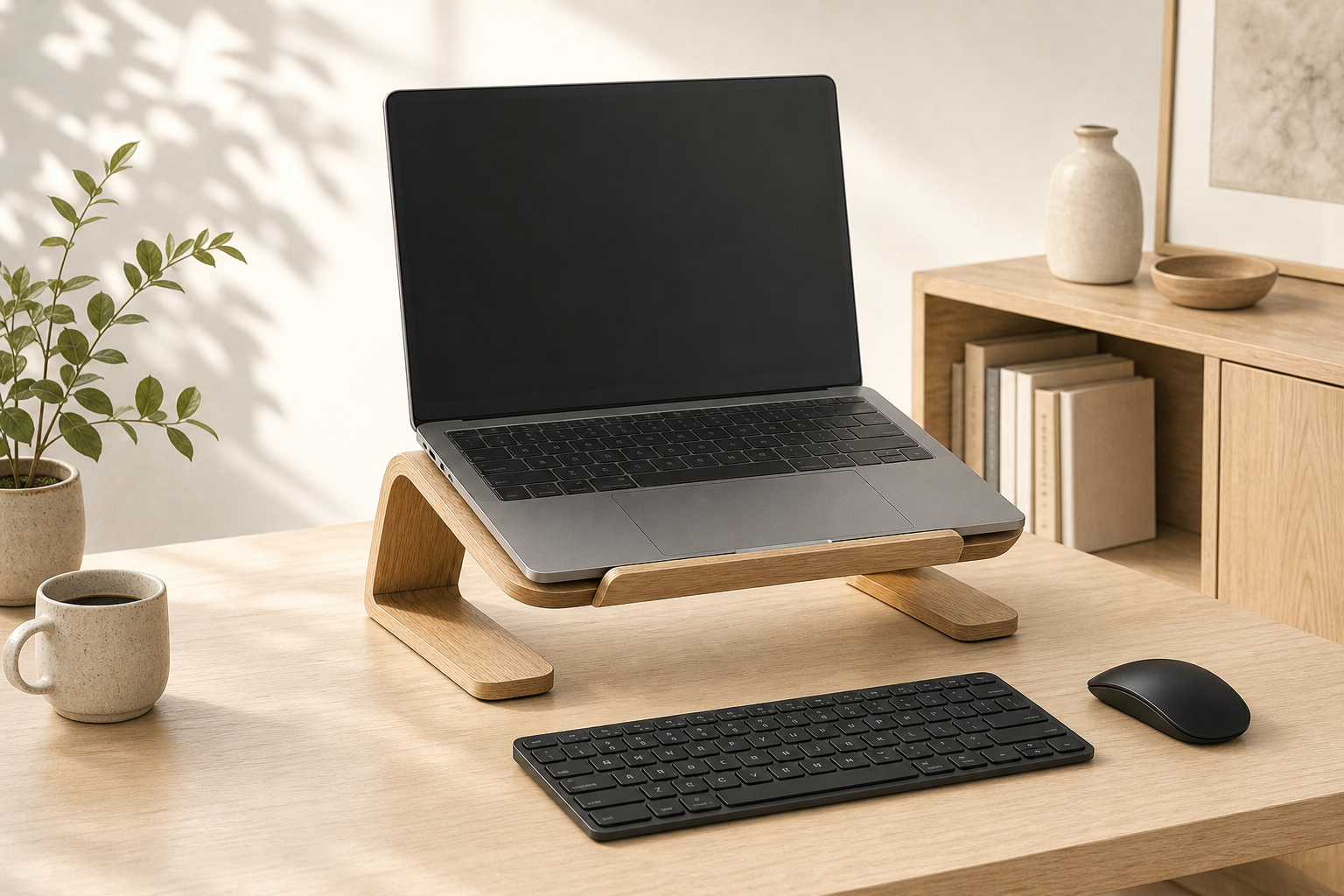
Compare the stand’s height and angle options with your table height and usual viewing position. A fixed design offers one position; an adjustable design may offer more options, but check the listing for the actual adjustment range rather than assuming what it can do.
Raising the screen can change the position of the keyboard and trackpad, so the stand alone may not make a complete workstation. Cornell’s workstation guidance recommends an external keyboard and, for sustained laptop use, an external monitor. Cornell’s guidance is general workstation advice, not a claim about any particular stand.
Setup reminder: Raising a laptop screen also raises its built-in keyboard and pointing device. Consider whether an external keyboard and mouse suit your intended setup.
Before buying, compare:
- Platform dimensions and laptop fit: Check the supported device size or dimensions, including any stated thickness limit. Screen size alone may not establish that a laptop will sit securely.
- Base footprint: Measure the available table area and leave room for the laptop, accessories, and anything else you need close by.
- Load and stability information: Look for a stated weight capacity and details about how the stand rests on a surface. If the listing does not state a load limit, ask the seller directly rather than assuming one.
- Ventilation details: Openings and cutouts are design features to inspect, not proof of improved cooling. Treat cooling language as a product claim unless supported by product-specific performance evidence.
For one example of disclosed specifications, stood lists a wooden model as compatible with laptops from 10 to 15 inches and gives its dimensions as 30.8 × 23.5 × 1.8 cm. These are the manufacturer’s specifications for that product, not a standard for other stands. See the listing.
Choose a Style for Your Table and Routine
The right style depends on how you use your table and how often the setup changes. A fixed wooden stand may suit someone who wants a simple arrangement and does not need to alter the screen position. If your chair, table, or working position varies, compare adjustable models by their stated height and angle range. Neither format is automatically a better fit for every workspace.
If you regularly clear the table or move your laptop between rooms, consider a foldable or disassemblable design. Check its folded or packed dimensions, not just its assembled footprint, and confirm how it is meant to be stored or carried.
For a compact table, measure the usable surface and compare it with the stand’s base, laptop platform, and any accessories you plan to keep nearby. For focused desk work, consider screen positioning alongside the keyboard and mouse arrangement; occasional use may call for different priorities, such as easy storage. If you are comparing a stand with a portable table setup, this guide to foldable laptop tables covers another type of workspace option.
A Quick Pre-Purchase Checklist
Before choosing a laptop wooden stand for table use, compare the listing with your device and workspace measurements. Treat stated specifications as the starting point, and ask the seller about important details that are missing.
- Measure the laptop: Compare its dimensions and thickness with the platform measurements and any stated compatibility range. A listing may provide a screen-size range, but check whether it also addresses the fit of the device itself.
- Measure the table: Check the stand’s base footprint against the available surface, including space needed for a keyboard, mouse, or other items.
- Review positioning: Confirm the listed height and angle options, if any, suit your intended screen position. For sustained laptop work, Cornell’s workstation guidance recommends an external keyboard and monitor; consider the full arrangement rather than the stand alone.
- Check stability and capacity: Look for product-specific information about the stand’s support and any stated load limit. If the limit or stability details are absent, verify them directly instead of inferring them from photos or materials.
- Inspect construction and care details: Look for a clear description of the wood, finish, assembly, and care instructions. Review product photos and measurements, and check the seller’s return terms before ordering.
- Confirm storage needs: If portability matters, find the folded or disassembled dimensions and see whether the listing explains how the stand packs away.
For a simple fit check, write down your laptop’s measured width and depth, then compare them with the platform dimensions and the space available on your table. This is a measuring method, not a product test. Keep documented dimensions distinct from descriptions such as “stable” or “cooling” unless the listing provides relevant supporting details.
Conclusion
Choosing a wooden laptop table stand is a matter of matching the design to your device, table, and routine. Compare the platform and base dimensions, stated laptop compatibility, construction, positioning options, and any available stability or portability details. Don’t assume a material or ventilation cutout guarantees durability or cooling, and confirm missing specifications with the seller.
Before buying, measure your laptop and usable table space, then check those figures against the product listing. For sustained work, consider the whole workstation setup, including the position of your keyboard and pointing device. A careful specification check is more useful than choosing by appearance alone.